
Jira Service Management Surveys: How to Create Advanced Satisfaction Surveys in Atlassian

March 29, 2026
Do you also think that using 5 stars is not enough to assess how the service is performing? Then you’re part of the group of people who have been missing, in Atlassian and more specifically in Jira Service Management, the ability to create more sophisticated satisfaction surveys. Surveys where we can really ask users how we are supporting them and what they think about our service.
Now that Jira Service Management has become the go‑to application for managing internal teams (not only IT, but also HR, Procurement, Marketing, and more), it’s essential to collect feedback from our teams in order to improve the processes we work with.
A new feature is now available in Atlassian Cloud instances called [Surveys](https://support.atlassian.com/jira-service-management-cloud/docs/collect-feedback-from-your-organization-with-surveys/). Remember that you need to have an active paid plan (Standard, Premium, or Enterprise) from the Service Collection, and that the rollout is progressive. If you don’t see it yet, you’ll have to wait a few more days.
How to enable this new feature
If you have permissions to administer the workspace, go to Space settings and make sure the Surveys feature is enabled.
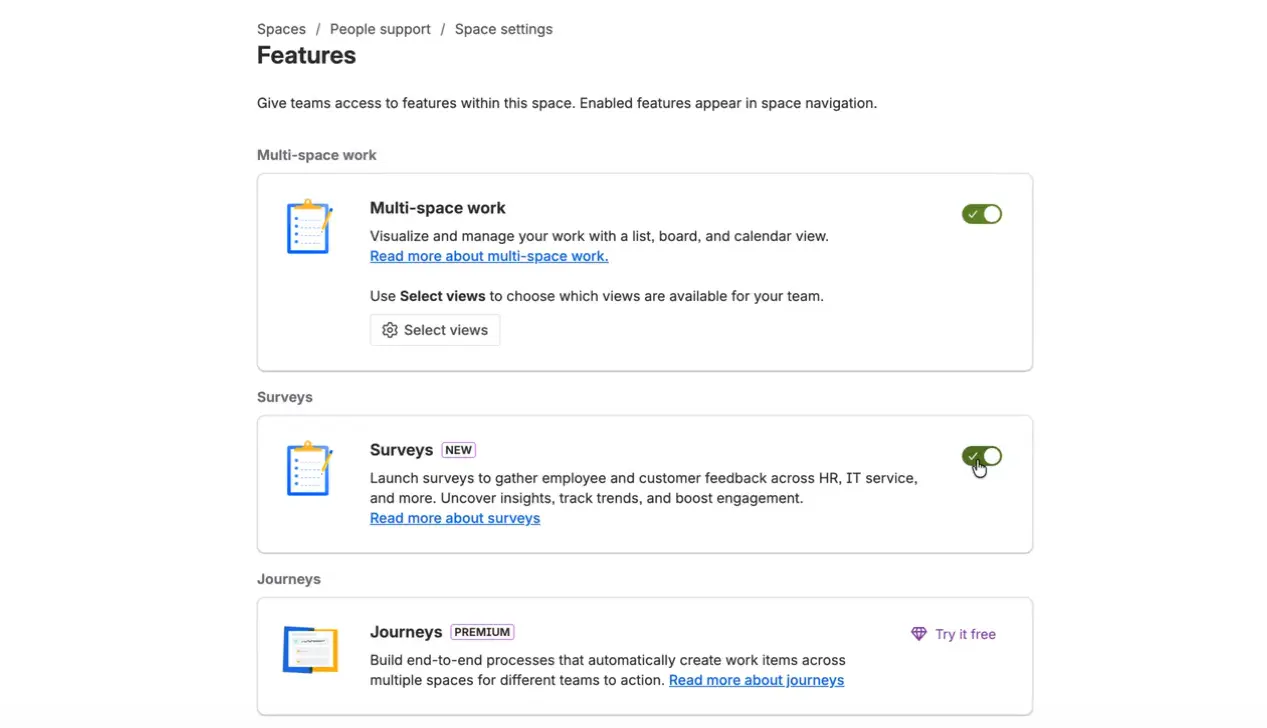
If you haven’t checked this configuration for a while, you’ll notice quite a few new options. If you’re unsure about any of them, take a look at the articles where we talk about Playbooks and Journeys.
Now that you have the new surveys enabled, let’s see how to get the most out of them.
Configure your surveys
As always, Atlassian makes it easy to get started with a new feature: you can either choose an existing template to create your first survey, or start configuring it from scratch.
These are some of the templates currently available:
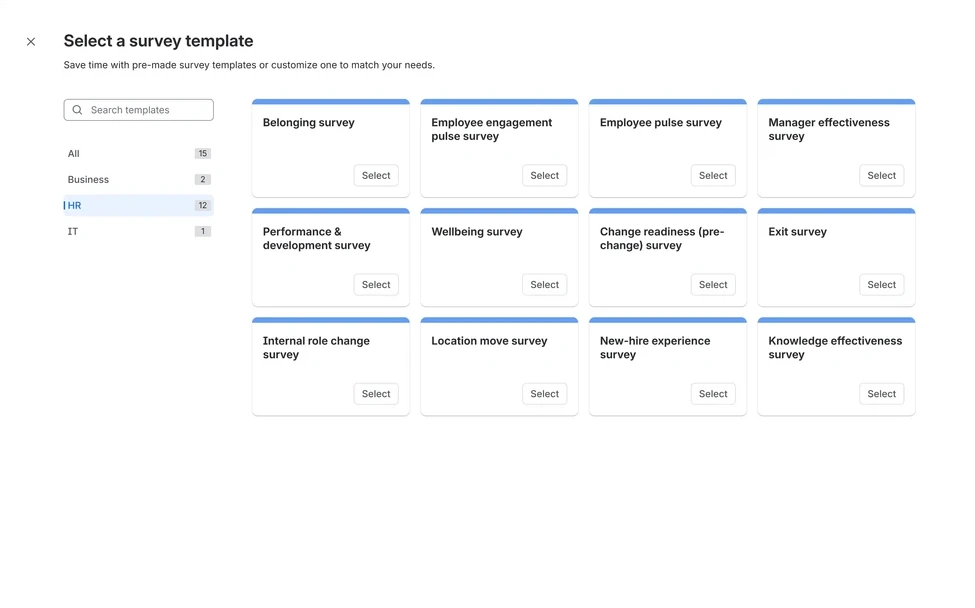
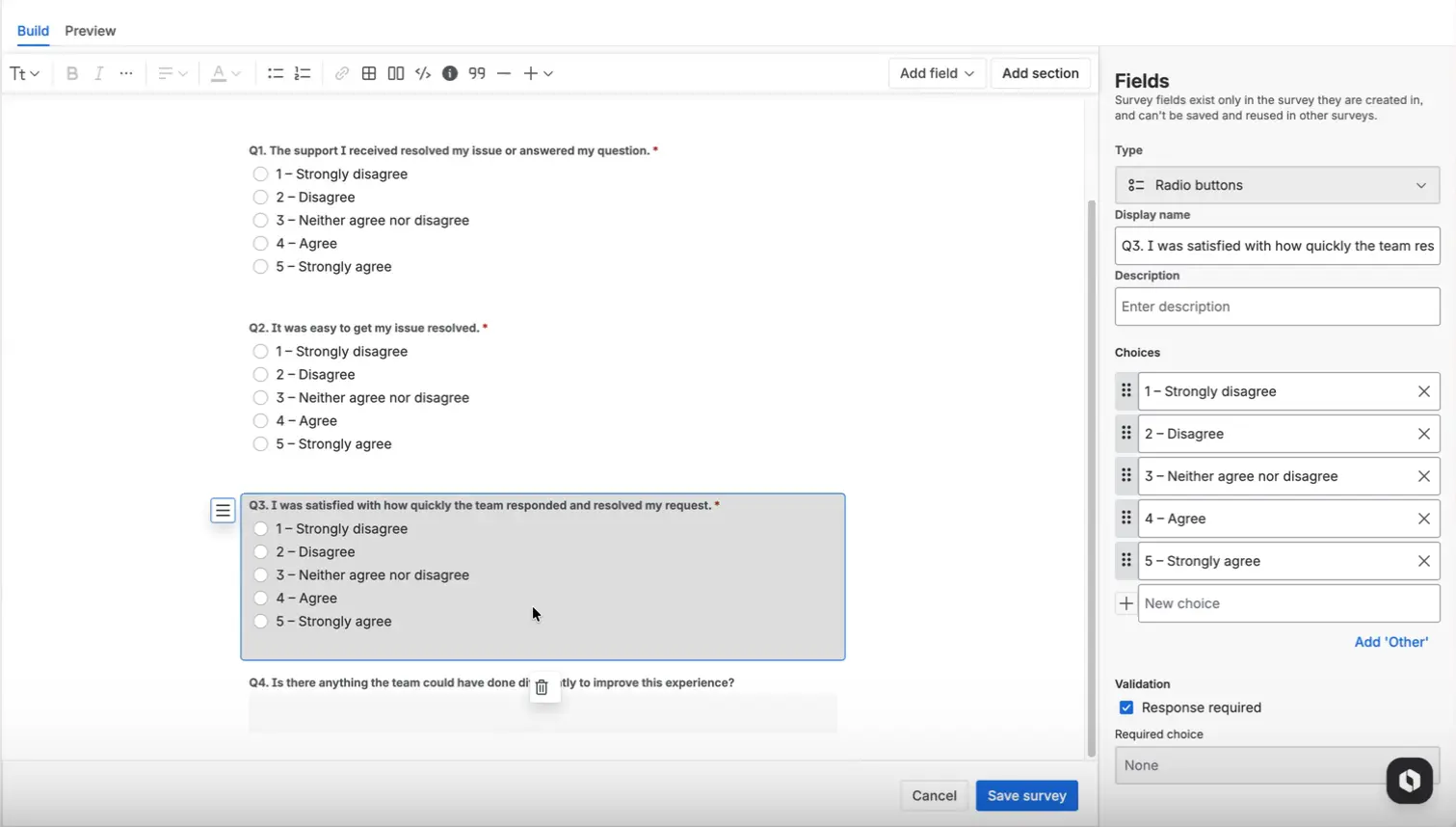
If you decide to build it from scratch, the editor will look very familiar. All configuration is done by dragging and dropping the fields you want to use: text, email, URL, checkboxes, dates, dropdowns, and more.
You can also add specific sections with validations, which will be shown conditionally based on the answers given by users. And at any time, you’ll be able to see a preview of how your survey will look once it’s published.
If you simply save the survey, it will remain as a draft until you publish it. For now, only you will be able to see it.
Share your survey
Once you’re happy with the survey you’ve created, share it so that users can fill it in. And here comes an important point: who do you want to share it with?
- It can be open to all users in the workspace.
- It can be restricted to only some specific users.
- You can choose whether users only have access to view it, or if they can also edit it and modify their information.
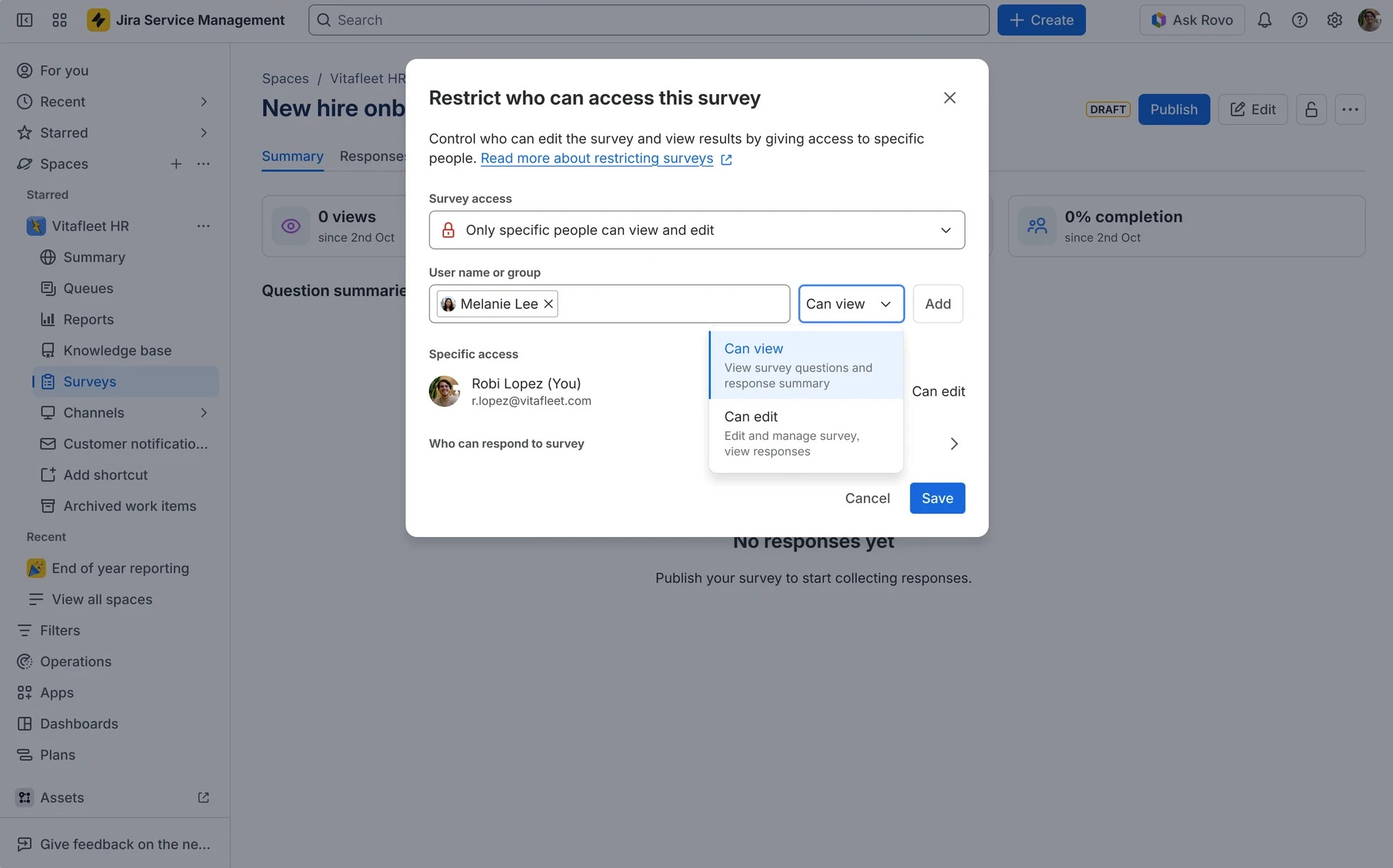
In addition to who you share it with, you can also manage the responses: whether they are always open to collect information, or whether the survey closes as soon as it’s answered. You can even decide whether to allow anonymous responses.
What data will I be able to see?
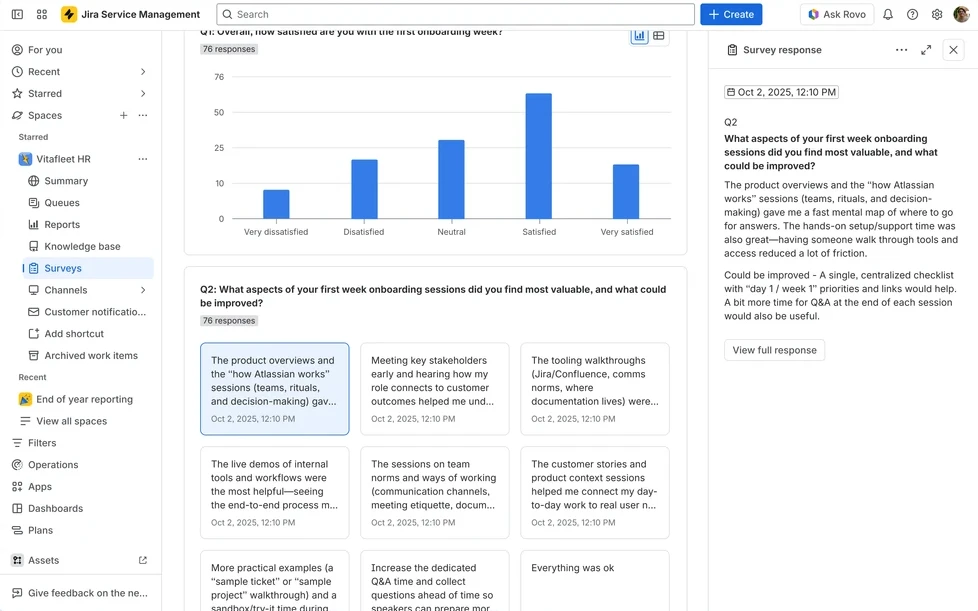
You’ll be able to see all responses to a survey in real time. You can filter by questions and, depending on the survey configuration, you’ll see more or less detailed information.
If needed, you can also export this information to CSV.
What else?
This feature really opens up a range of possibilities that you can start using with your team right away:
-
You don’t have to wait until a task is resolved to send a survey; you can do it in the middle of the process to evaluate specific steps. Remember that the survey can be shared via link and included in an automation rule, for example.
-
Don’t think only in terms of Jira Service Management: take the opportunity to ask your users about your Confluence documentation. You’ll find out whether it’s truly adding value or not.
-
These surveys are independent from the 5‑star rating we send when a ticket is resolved. You can use each of them at different times, but it’s important to understand that, from a configuration perspective, they are treated as two separate elements.
-
For now, the multi‑language option is not available, but we hope Atlassian will add it as soon as possible. Many requests have already been raised on this.
And you, how are you going to use these new surveys?
Our latest news
Interested in learning more about how we are constantly adapting to the new digital frontier?
Insight
April 27, 2026
Remix with Rovo in Confluence: Transform Your Data into Visuals

Insight
April 13, 2026
What's New in Atlassian Goals: A Clearer View of Owners, Followers, and Labels

Tech Insight
February 16, 2026
Atlassian Assets, now as a platform app

Insight
February 9, 2026
How the new LLMs hosted on Atlassian work: a guide for companies seeking secure AI