
Atlassian Assets, now as a platform app

February 16, 2026
Discover how this new integration allows you to manage your assets without switching context
During Team’25 Europe held in Barcelona, we received the exclusive news that Assets was becoming an independent app, no longer tied solely to Jira Service Management as it had been until now. This way, any team can use it to manage and connect different types of objects.
Well, the day has finally arrived: Assets is now available in all environments as an Atlassian Cloud Platform App. Read until the end to find out exactly which environments it's in and how ;)
What now?
From now on, Asset data is starting to integrate into the Teamwork Graph, helping to shape the graph and provide unique data. This allows for a richer data view and more powerful automation by linking Assets with other data and work across the platform.
Starting right now, objects that were previously in Jira Service Management can already be found via basic search and incorporated into Jira, Confluence pages, the Home screen, automations…
Atlassian has been working primarily on three lines:
- Bringing Assets to every corner where we work: Home, Rovo Search, and Studio
- A friendlier onboarding experience and a new 'For You' section
- Stronger administrative control with contextual settings and governance capabilities
Let’s look at exactly what this means, part by part.
Assets accessible from anywhere
Assets is becoming a reusable data layer across all Atlassian applications, so key objects in schemas (people, services, devices, providers…) can be linked wherever you are already working, reducing context switching and helping teams make more accurate decisions.
The result: less context switching, faster decisions, and smarter collaboration.
It is now possible to search for objects with Rovo Search and see what you’ve just worked on or updated; advanced features for searching with natural language/LLM will be arriving soon.
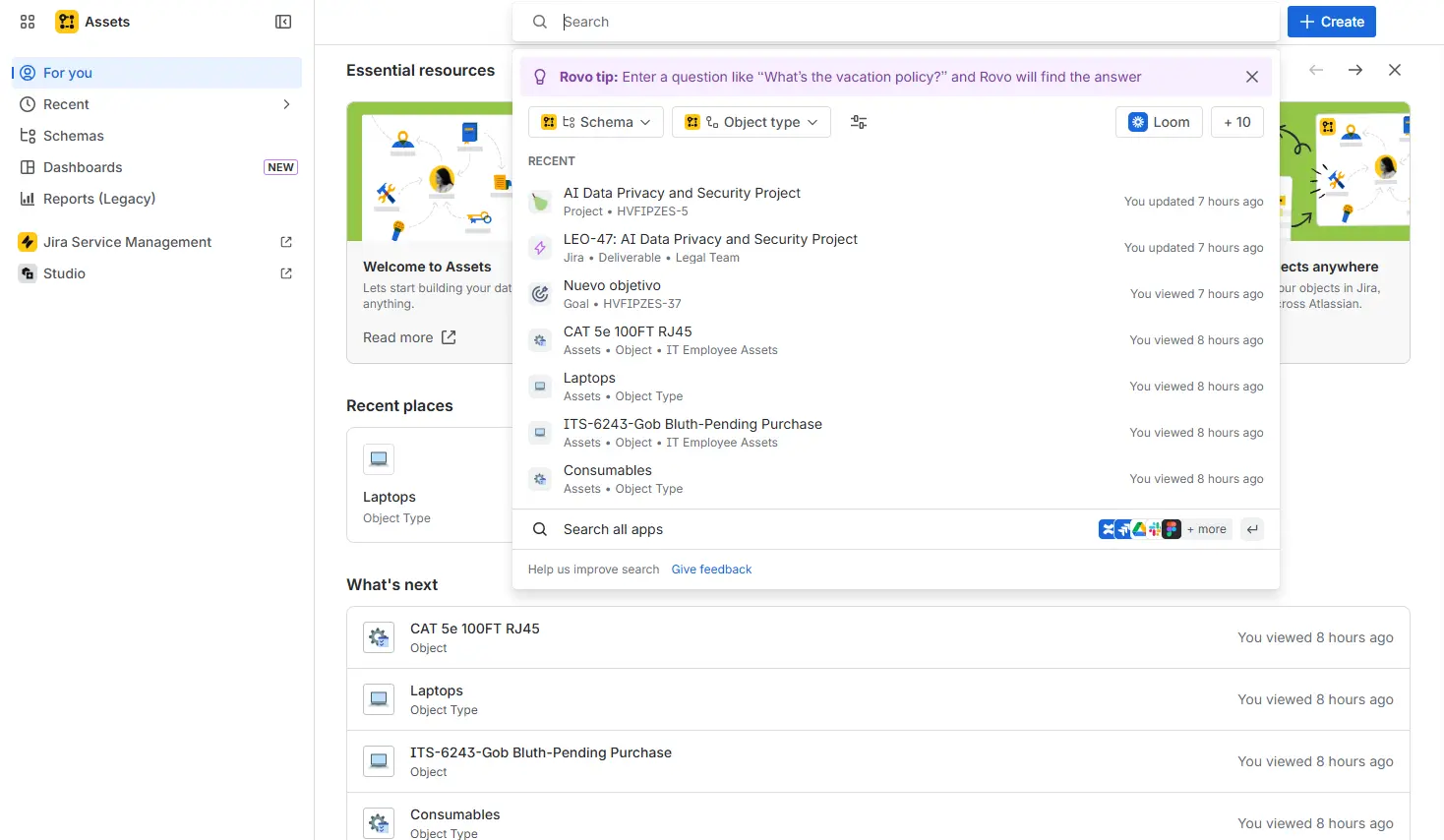
Additionally, a direct menu to the Studio app has been added within Assets to make switching between one app and another as agile as possible.
The new "For You"
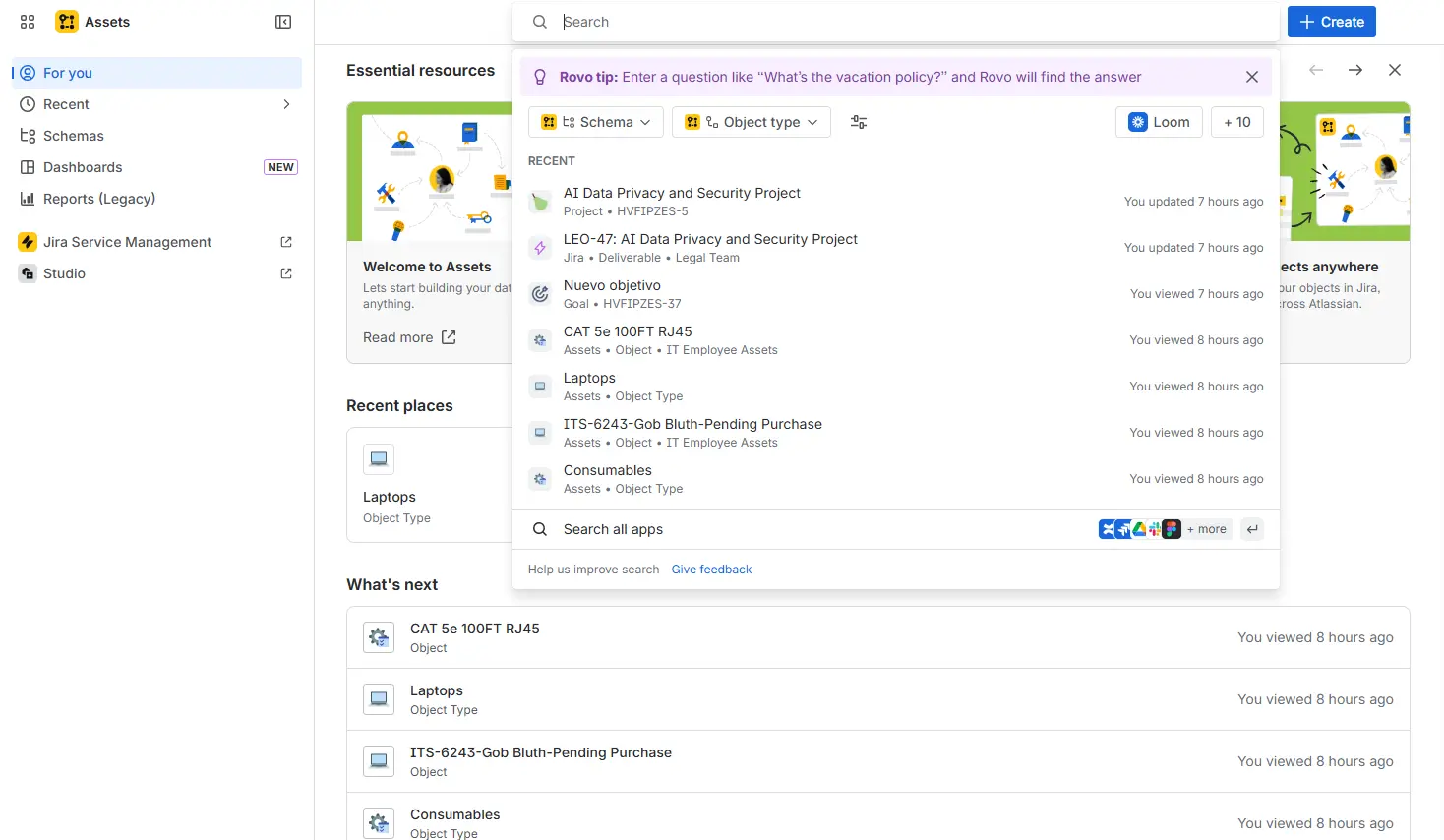
The new “For You” page makes it much easier to land directly on the schemas and objects where you left off the day before. In this new view, you will find:
- Essential resources: Documentation, usage guides, tips, and tricks… to make your life easier and locate the manuals you might need as quickly as possible.
- Recent spaces: Where you can see the latest items consulted (schemas and objects).
- What’s next? Suggestions for objects and schemas to interact with next.
If you are accessing it for the first time, you will also find an onboarding process that will guide you through all the application's points of interest.
Improvements in administration
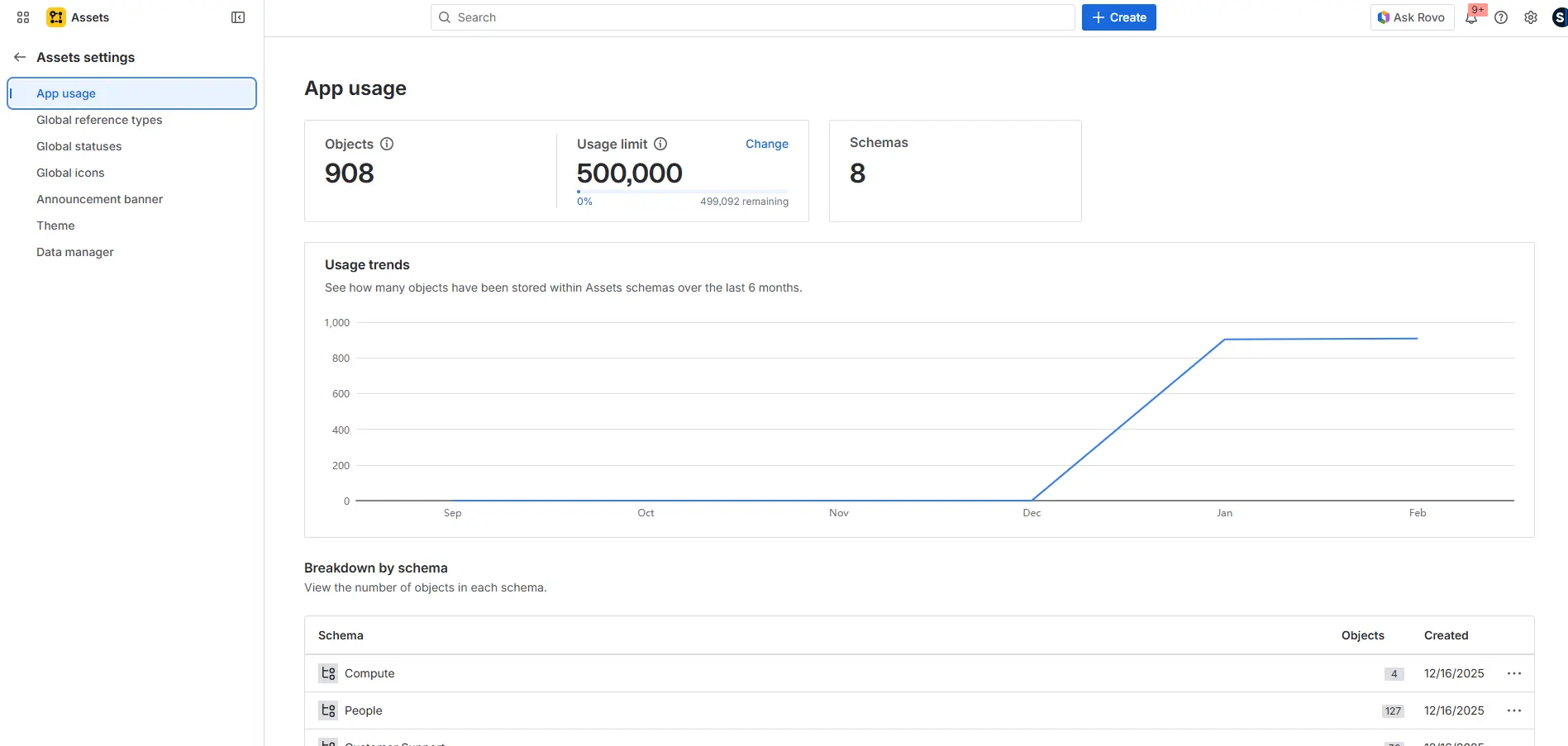
The Assets administration menu has been primarily expanded and modernized.
From this space, you can: see the actual usage of the app, create new “reference types,” create and modify global statuses, and even create banners with specific announcements during maintenance periods, for example.
From now on…
Any customer with a paid license for Jira, Confluence, Jira Service Management, Teamwork Collection, and Service Collection will have access to Assets 🙂. The rollout has been phased over 6 months. If it hasn’t reached your instance yet, be patient, because it will arrive very soon.
The number of Assets objects will vary depending on the licenses contracted. Therefore, it is important to know the limitations of your environment:
- 1K objects per paid standalone app
- 5K objects per collection
For example, if you have:
- Jira (standalone) paid → +1,000 objects
- Confluence (standalone) paid → +1,000 objects
→ In total: 2,000 objects available in Assets.
If, for example, you have:
- Teamwork Collection (5K) + Service Collection Premium (50K)
→ 55,000 objects available.
Naturally, if you need extra objects in any case, they can always be expanded for a modest price.
Still have doubts?
At Sngular, we can help you analyze your environment, make the best recommendations, and assist you with this new approach. Let's talk?
Our latest news
Interested in learning more about how we are constantly adapting to the new digital frontier?

Tech Insight
June 25, 2026
Let Gemini Do It: Generative AI for Businesses on Google Cloud

Tech Insight
June 18, 2026
No Data, No AI: Agentic Data Cloud and Data Sovereignty
Insight
April 27, 2026
Remix with Rovo in Confluence: Transform Your Data into Visuals

Corporate news
April 21, 2026
We have integrated AMS Solutions to strengthen our capabilities in managed services and AI-assisted software development